FreeNo adsOpen sourceNo PC or serverAniList syncOffline downloadsPhones and tabletsAndroid 7.0+FreeNo adsOpen sourceNo PC or serverAniList syncOffline downloadsPhones and tabletsAndroid 7.0+
Tap through the whole app.
Thirteen screens, recorded on a Galaxy S22 Ultra and a Pixel Tablet. None of them is a mockup.
←→ arrow keys
↔ swipe
tap the tabs inside the phone
Find tonight's show.
Discover opens on the season's spotlight. Scroll on for what's trending and the top shows of the season. On a tablet the same page spreads into rows of covers.
Season spotlight
Trending now
Genres
Player
Stream it. Torrent it.
Add the sources you want and press play. Online streams and torrents land in the same player.
mpv inside
AC3, DTS, styled ASS subtitles and every track of an MKV just play.
Sub or dub
Pick per show, switch audio and subtitles while it runs.
Leaves the page with you
Go back to browsing and the episode waits in a bar at the bottom.
On the TV
Send an episode to your TV over DLNA.
Sub or dub?
Reader
Manga, page by page.
Read online, or download chapters and read them on a plane. The Manga tab picks up on the page where you stopped.
New-chapter alerts
The app can notify you when a manga on your list gets a chapter.
Offline chapters
One tap per chapter, or a whole range at once.
Syncs to AniList
Chapter progress goes to your list like episodes do.
New chapter!
Sync
AniList
AniList, always in sync.
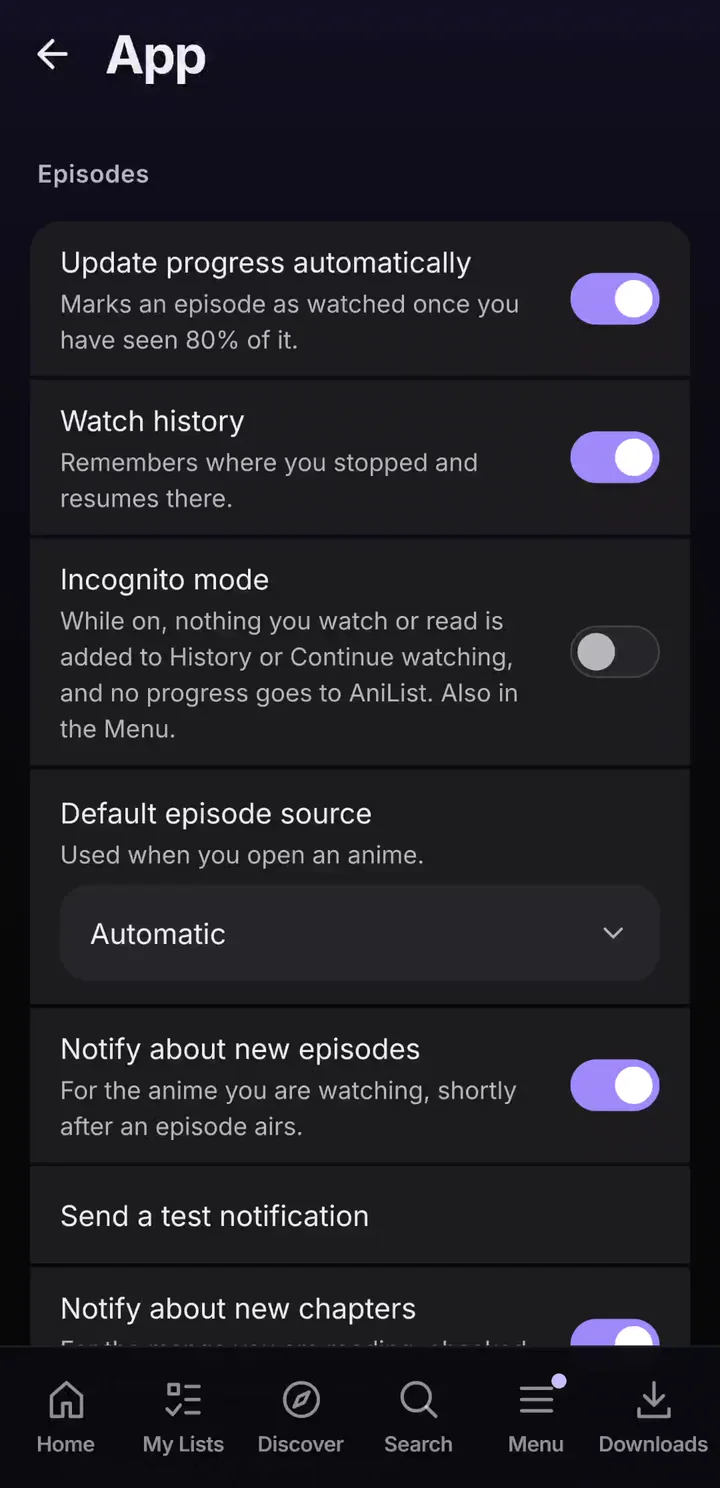
Finish an episode and your list updates itself. If AniList is down, the change waits on your phone and goes out later.
No account? Fine.
A local account keeps your lists on the device. Sign in later and upload them.
Schedule
Every episode airing in the next two weeks, with its time.
Incognito
Pauses the history and the automatic progress updates.
Downloads
Take it offline.
Download episodes and chapters to the phone, then watch on the train with no signal.
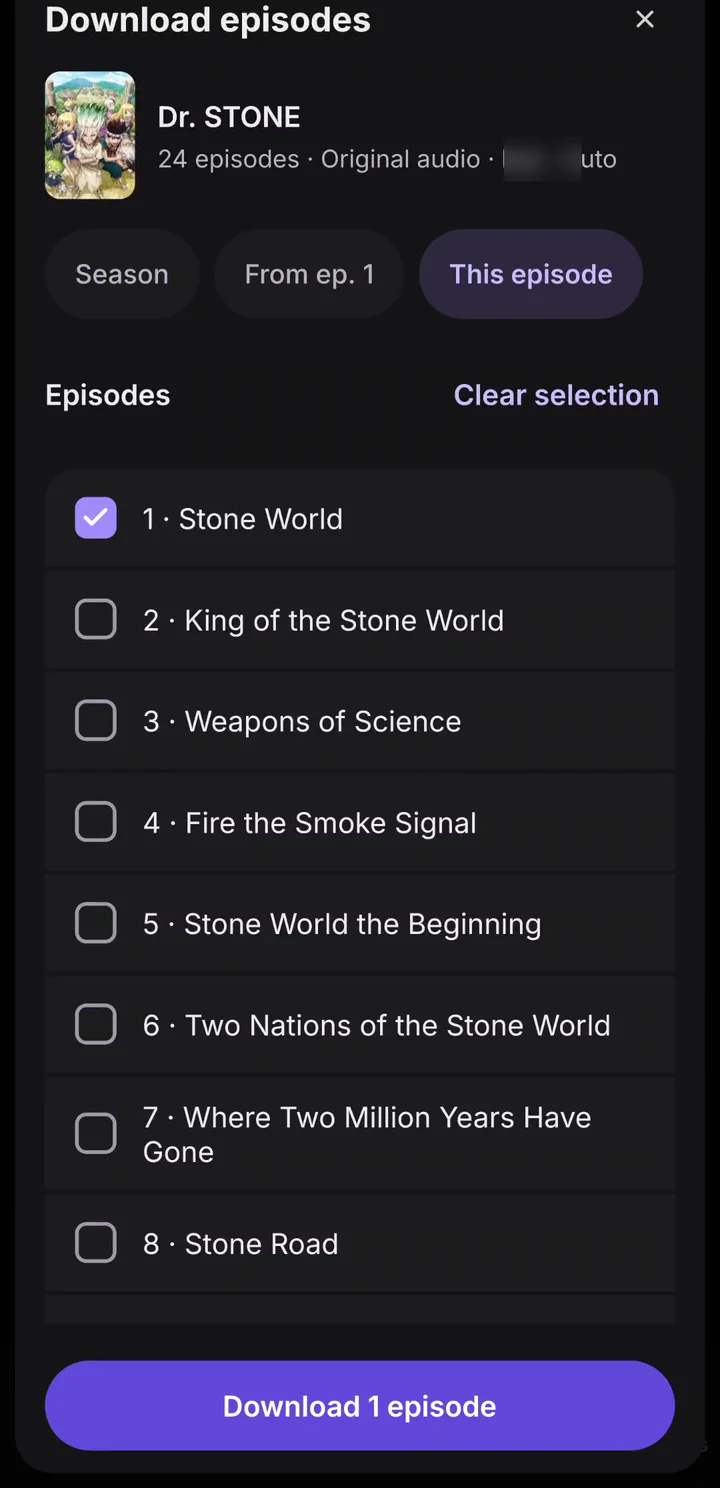
Pick what you need
One episode, from here to the end, or the whole season.
Auto-download
On Wi-Fi the app can fetch the next one to three episodes and delete the ones you've seen. It stays off until you switch it on.
Backup
One file holds your settings, watch positions, playlists, extensions and local lists. Restore shows what's in the file first.
Built for tablets too.
It's one APK for phones and tablets. A tablet gets a navigation rail, settings in two panes, and anime pages where the cover stays put while the episodes scroll.
Everything it does.
Forty-one things, sorted. Filter by what you care about or type a word. Show me opens the matching screen in the tour.
41 features
Watch
Online streaming
Stream from the sources you install. None comes preinstalled.
Watch
Torrent streaming
Torrents play in the same player. The app asks before one starts on mobile data.
Watch
mpv player
AC3, DTS, ASS subtitles and every audio track of an MKV just play.
Watch
Sub or dub
Pick per show on the anime page.
Watch
Mini player
Leave the page and the episode waits in a bar above the tabs.
Watch
Skip opening and ending
Skip OP/ED uses the timings from AniSkip, a community database.
Watch
Player gestures
Swipe up or down on the left for brightness, on the right for volume.
Watch
Picture in picture
Keep the episode running in a small window over other apps.
Watch
Auto play and sleep timer
The next episode can start on its own, or the sleep timer stops after this one.
Watch
Pick the best torrent
The app can choose a torrent for you by your preferred language, codec and source.
Watch
Debrid
Real-Debrid, AllDebrid, TorBox and Premiumize, with your own key. Not tested on real hardware yet.
Watch
Discover
Season spotlight, trending shows, top of the season and genre chips.
Watch · Read
Search
Anime and manga, sorted by best match, score, trend or newest.
Watch
Quick actions
Long-press a cover: preview, add to a list, or mark the next episode.
Read
Manga reader
Read online or offline. It reopens on the page where you stopped.
Read · Offline
Chapter downloads
Download single chapters or a range and read without a connection.
Read
New-chapter alerts
A notification when a manga you're reading gets a new chapter.
Track
AniList sync
Lists and progress stay in sync. An episode counts once you've seen 80% of it.
Track · Offline
Changes that wait
If AniList is down, your changes stay on the phone and go out later.
Track · Privacy
Local account
Works without AniList. Sign in later and upload your local lists.
Track
Schedule
Every episode airing in the next two weeks, day by day, with its time.
Track
Updates
New episodes and chapters since your last visit, gathered in one list.
Track
Episode alerts
A notification shortly after an episode of a show you're watching airs.
Track
History
What you watched and read, day by day, with where you stopped.
Offline
Episode downloads
This episode, from here on, or the whole season. Watch with no signal.
Offline
Auto-download
Fetches the next one to three episodes on Wi-Fi and deletes watched ones. Off by default.
Offline · App
Backup and restore
Settings, positions, playlists, extensions and local lists in one file. No passwords in it. The last restore can be undone.
Devices
Tablet layout
Navigation rail, two-pane settings, and a cover that stays put next to the episodes.
Devices · Watch
Cast over DLNA
Send an episode from the phone to your TV.
Devices
Nakama
Seanime running on a PC anyway? Play its library on your phone.
Devices
Home screen widgets
Continue watching, and Upcoming anime with a countdown to the next episodes of your list.
Devices
App shortcuts
Long-press the app icon for shortcuts straight into the app.
Devices · Offline
Local library
Point the app at a folder of your own anime files. Scan summaries show what it found.
App
Opens AniList and MAL links
Tap or share an AniList or MyAnimeList anime link and the show opens in the app.
Watch · App
Playlists
Collect episodes in playlists. They go into the backup too.
Privacy
Incognito mode
Nothing goes to History or Continue watching, and no progress goes to AniList.
Privacy
Hide spoilers
Episode pictures and texts stay hidden until you get there.
App · Privacy
No ads, no tracking
Free software under the GPL-3.0. The code is on GitHub.
App
Extensions
The official Seanime marketplace is built in; add another one with a link. You decide what gets installed.
App · Privacy
Extensions in a sandbox
Each extension runs in its own sandbox with limits on memory and time, and reaches the net only through the app.
App
Updates built in
The app checks GitHub when it starts and verifies the download's checksum. English and Deutsch.
Seventeen screenshots from the app. Tap one to open it large, then swipe or use the arrow keys.
If you know Seanime
Seanime, or Seanime Mobile?
Seanime is 5rahim's media server for anime and manga. Seanime Mobile started as a fork of it and now runs on its own core, on the phone. They are two projects.
A PC runs at home anyway? Use Seanime with its official app Tenji. Want everything on the phone? That's this one.
Topic
Seanime on a PC
Seanime Mobile
Where it runs
A PC or home server, with a web interface
An Android phone or tablet, nothing else
Server needed
It is the server
No
Extensions
Seanime format
Same format
AniList sync, streaming, torrents, manga
Yes
Yes
Plays your PC library
Yes
Yes, through Nakama
Plugins, Discord status
Yes
No
Watch parties
Yes
No
Local manga, double-page view
Yes
No
Made by
5rahim
Lampe332, unofficial, not affiliated
Get started
Starts empty. On purpose.
A fresh install has no anime, no manga and no source installed. That's deliberate: the app ships without content. The official Seanime marketplace is built in, and five steps fill the app. The page keeps track of where you are.
Five steps
Reading this on
1 Install the app
You're on Android, so the button downloads the APK straight to this device.
Seanime Mobile is Android only. There is no iOS version. On an Android phone or tablet, open this page and tap Download.
Open the file.Seanime-Mobile.apk, about 71 MB.
Allow the install. The first time, Android asks you to allow Install unknown apps for your browser or file manager.
Tap Install. Play Protect may warn you because the app isn't from the Play Store: More details, then Install anyway.
2 Obtainium, if you use it
The app updates itself: it checks GitHub when it starts. If you'd rather manage updates with Obtainium, add the repository there. The button only works on a device with Obtainium installed.
On first start, pick a language. Then connect AniList and your lists show up in the app. An account is free at anilist.co.
No account? Tap Not now. A local account keeps lists and progress on the device, and Upload local lists moves them to AniList whenever you sign in.
4 Add a marketplace
The official Seanime marketplace is already set in the app. For more sources, add the community marketplace below. You can switch back to the official one with one tap.
Tap Add marketplace. If that button isn't there, tap Change.
Tap Paste link, then Add.
Community marketplace by Bas1874 · not affiliated with Seanime Mobile. Repository on GitHub. This page only shows the link. It doesn't load, copy or host the list behind it.
5 Install two sources and press play
In Menu → Extensions, tab Marketplace, install one streaming source and one manga source. Open Discover, pick a show, switch to Online and press play.
An episode won't start? It's almost always the source. Pick another server or source on the anime page.
All five done. Have a good first episode.
APK
Get the APK.
The button fetches the newest release file from GitHub. You never see a release page.
Older versions are on the releases page. Not installed yet? The five steps walk you through it, and the install help covers Install unknown apps and Play Protect.
Check the file: compare the SHA-256 in the release desk with your download, one command on any computer. Still on 2.0.33? Install this APK by hand over the old app; your data stays.
Stuck? The help page covers installing, checking the file, updates and the common problems.
Something missing?Open an issue on GitHub and say which device and Android version you have.
for this page: press ?.
Is it really free?
Yes. There's no price, no ads and no paid tier. The code is on GitHub under the GPL-3.0.
Why is the app empty after install?
On purpose. The app ships with no content, and no source is installed. Sign in with AniList and your lists appear. Under Menu → Extensions → Marketplace the official Seanime marketplace is already set; install a streaming and a manga source there, or add a community marketplace first. Get started has a link you can copy.
Is this the official Seanime app?
No. Seanime Mobile is built on Seanime by 5rahim, but it isn't affiliated with Seanime or 5rahim. The official app is Tenji, a client for a Seanime server. If you'd rather go the official route, use Tenji.
Do I need a PC or a server?
No. Everything runs on the phone. If you have Seanime on a PC anyway, Nakama plays its library on your phone.
Do I need an AniList account?
No. The local account keeps lists and progress on the device, and Upload local lists moves them to AniList if you sign in later. An account is free at anilist.co.
Where do the streams and chapters come from?
From extensions you install yourself. None comes preinstalled. Menu → Extensions → Marketplace starts on the official Seanime marketplace; you can also paste the link of a community marketplace, check the preview and add it. The community one linked on this page is run by Bas1874. This project doesn't host any of them and has nothing to do with their content.
Does the app collect data about me?
No. There's no telemetry, no analytics, no ads and no server of mine. The app talks directly to AniList, GitHub (for updates) and the sources you install. The full list says what goes where.
Why does it ask for “All files access”?
Only for the local library: to scan a folder of your own anime files. If you don't use it, you don't need to allow it. Install unknown apps is for installing its own updates. Every permission is explained.
Can others see my IP address when I use torrents?
Yes, as with any BitTorrent app: peers and trackers see your IP address, and the app uploads pieces to others while it downloads. On mobile data it asks before a torrent starts.
The update fails. What now?
Coming from 2.0.33? Its updater can't install the new version: download the APK here and install it over the old app, your data stays. “App not installed” means an older self-built or third-party version is on the phone; uninstall it first. Updates in the help.
Is the download safe? How do I check the file?
The APK comes straight from the project's GitHub releases. GitHub publishes a SHA-256 checksum for the file, and Get the APK shows it with a copy button so you can compare it with the file you downloaded. The source code is public.
How do updates work?
The app checks GitHub for a new release when it starts and offers the update. It only installs a download that matches the checksum GitHub publishes for it. Obtainium works too, if you already use it.
Which devices does it run on?
Phones and tablets with Android 7.0 or newer, on 64-bit and 32-bit ARM. There is no iOS version.
An episode won't play. What now?
It's almost always the source. Pick another server or source on the anime page, and keep your extensions up to date under Menu → Extensions.